
小红书 / RedNote Layout
Xiaohongshu’s interface is built around a simple bottom navigation bar with four core sections. These are the main ways users move through the platform and discover content.
Home Tab
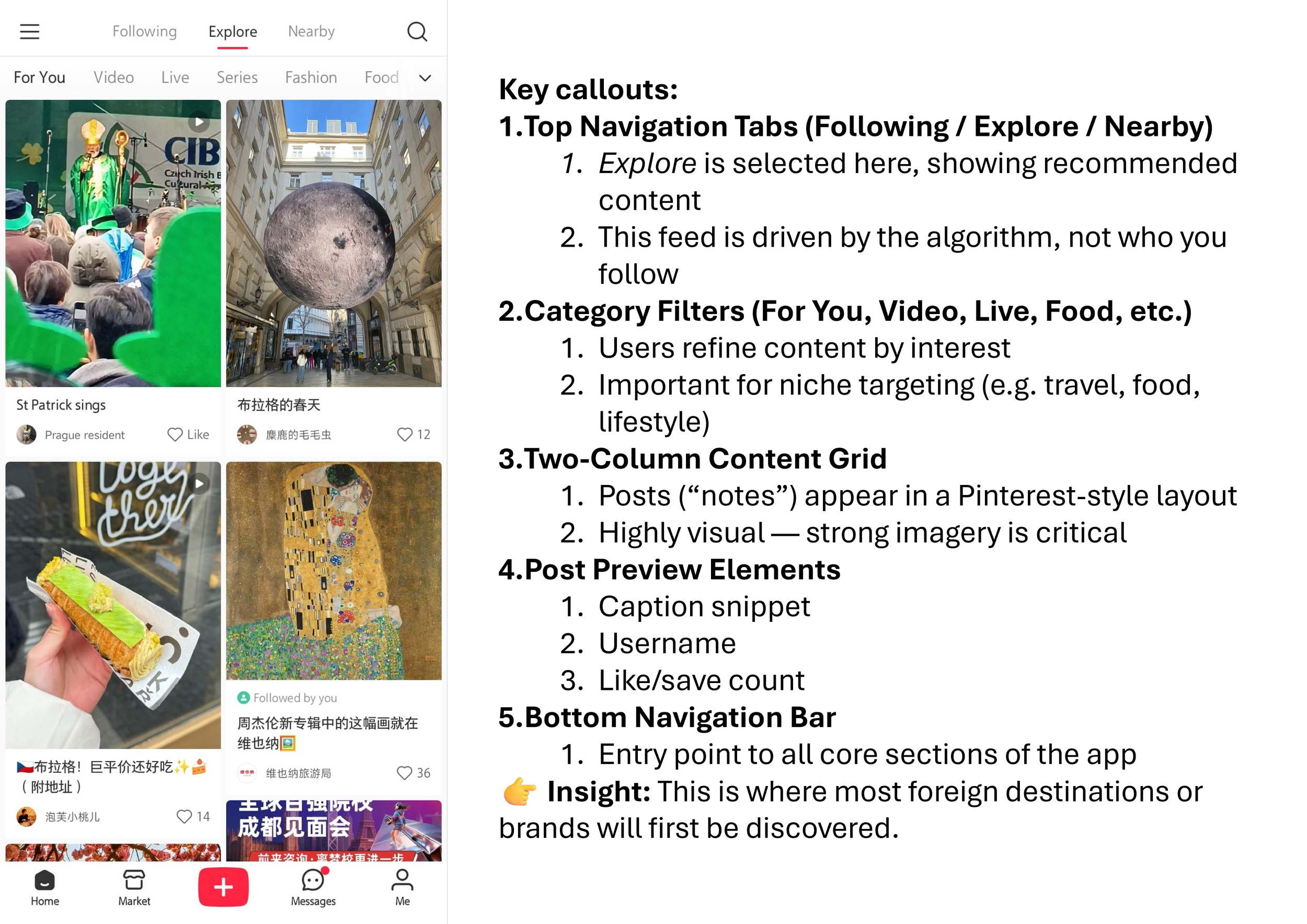
Xiaohongshu / RedNote home tab
The Home tab is where most users spend their time. This is the platform’s main discovery feed, showing a continuous stream of posts (“notes”) in a two-column grid layout.
At the top, users can switch between:
Following (关注) – content from accounts they follow
Explore (发现 / Explore) – algorithmically recommended content
Nearby (附近) – location-based recommendations
Below this, content is further categorized (e.g. For You, Food, Fashion, Travel), making it easy for users to browse specific interests.
Each post preview includes:
An image or video thumbnail
A short caption
Engagement indicators (likes, saves)
👉 Why it matters: This is where brands get discovered. Strong visuals and relevant content are key to appearing in this feed.
Market Tab
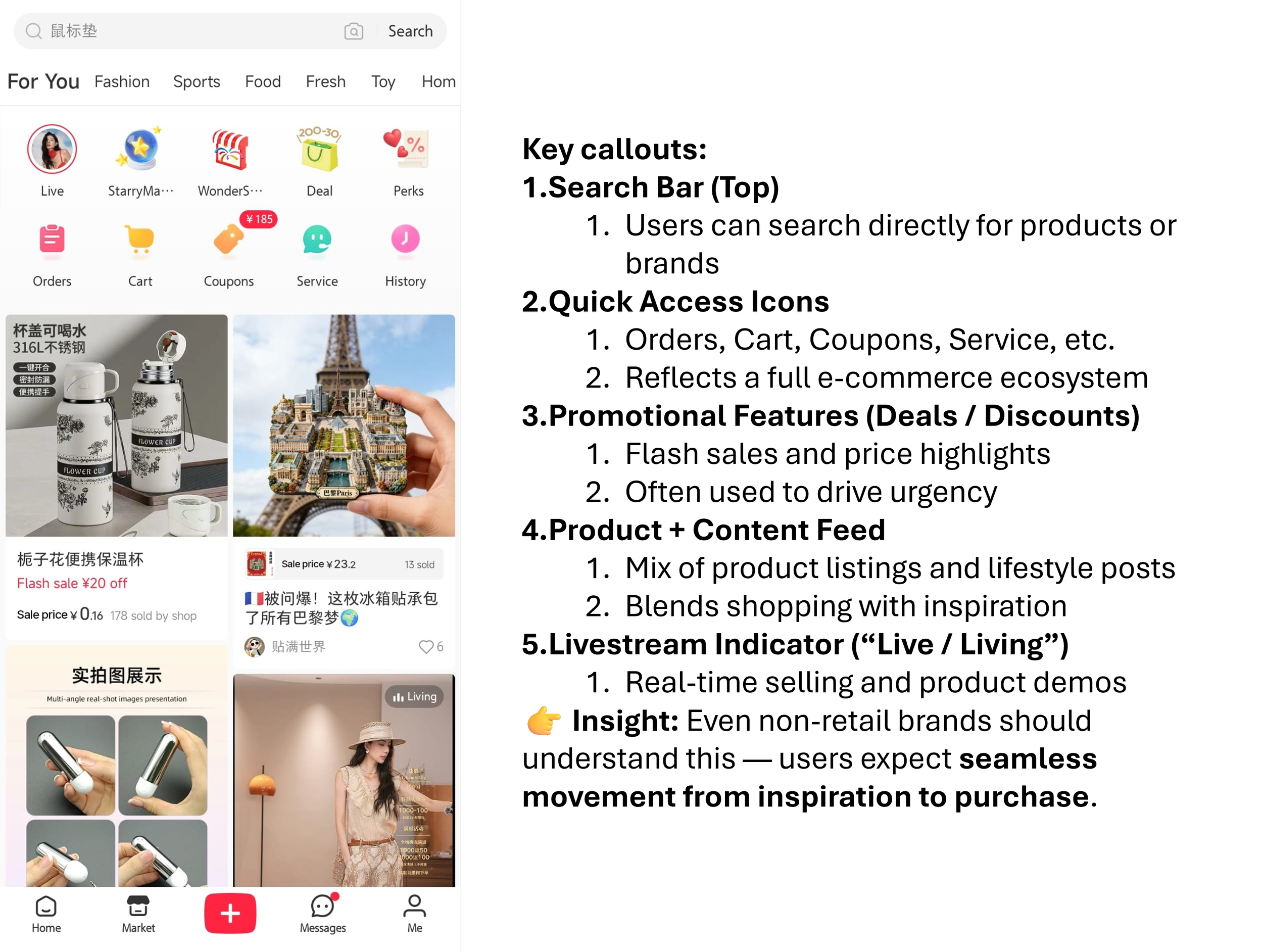
Xiaohongshu / RedNote market tab
The Market tab is Xiaohongshu’s integrated e-commerce section.
At the top, users can access:
Live (直播) – livestream shopping
Deals & Promotions
Coupons and discounts
Orders and cart
Below this is a feed of:
Product listings
Sponsored posts
Shopping-related content
Unlike traditional e-commerce platforms, this section still feels content-driven, blending product discovery with social recommendations.
👉 Why it matters: Even if you don’t sell directly on Xiaohongshu, this shows how closely content and commerce are connected.
Messages Tab
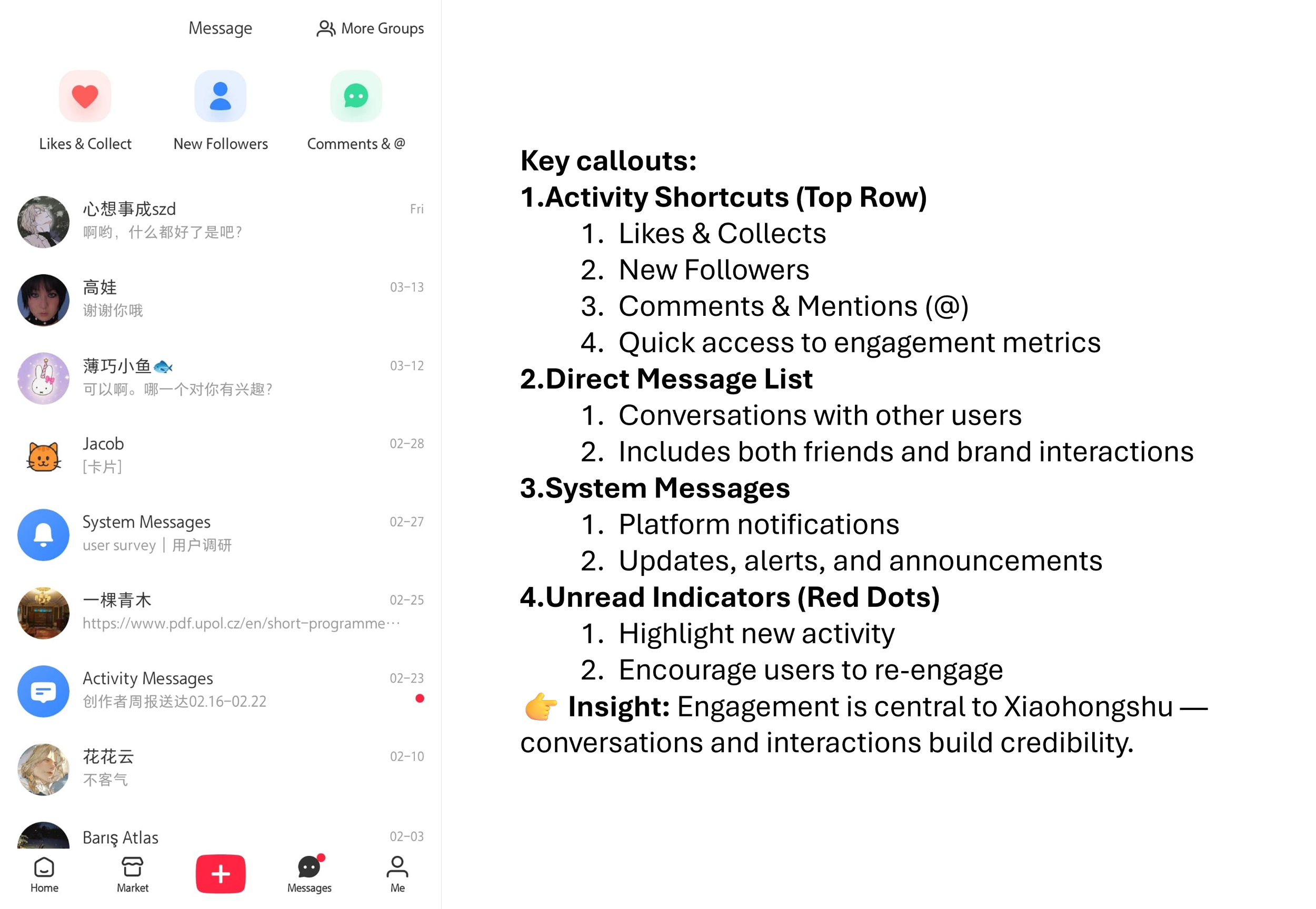
Xiaohongshu / RedNote messages tab
The Messages tab acts as both a notification center and direct messaging inbox.
At the top, users see key activity categories:
Likes & Collects (点赞与收藏)
New Followers (新增关注)
Comments & Mentions (@)
Below that is a list of:
Private conversations
System notifications
Activity updates
👉 Why it matters: This is where engagement happens. Replies, comments, and direct interactions all contribute to building trust and visibility.
Me (Profile) Tab
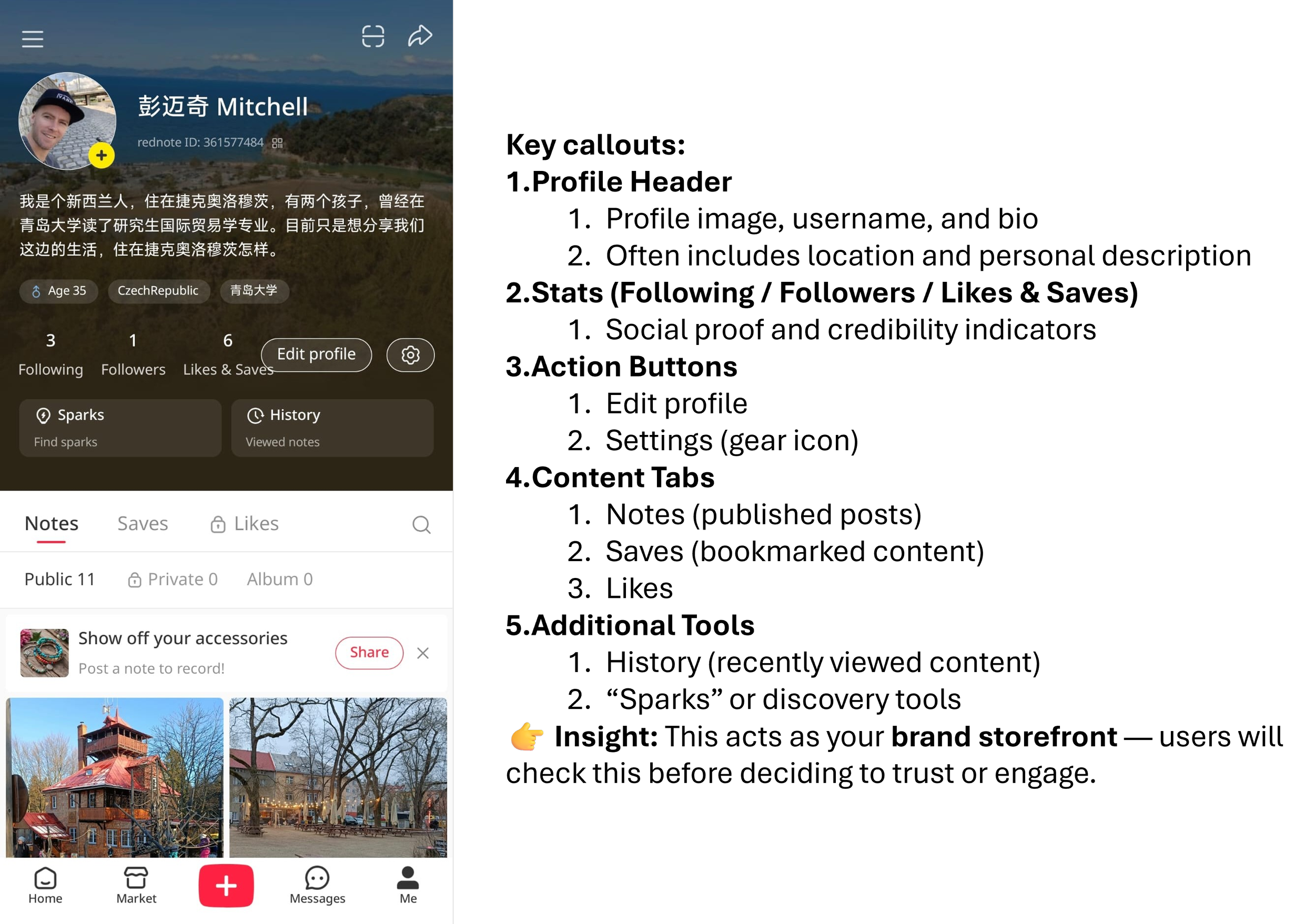
Xiaohongshu / RedNote me (profile) tab
The Me tab is the user’s personal profile and content hub.
Key elements include:
Profile photo, bio, and location
Follower and engagement stats
Tabs for:
Notes (笔记) – published posts
Saves (收藏) – bookmarked content
Likes (点赞)
Users can also access:
Viewing history
Account settings
Content management tools
👉 Why it matters: For brands, this acts as your mini storefront and brand page. It’s often the place users go after discovering your content.
Profile Page
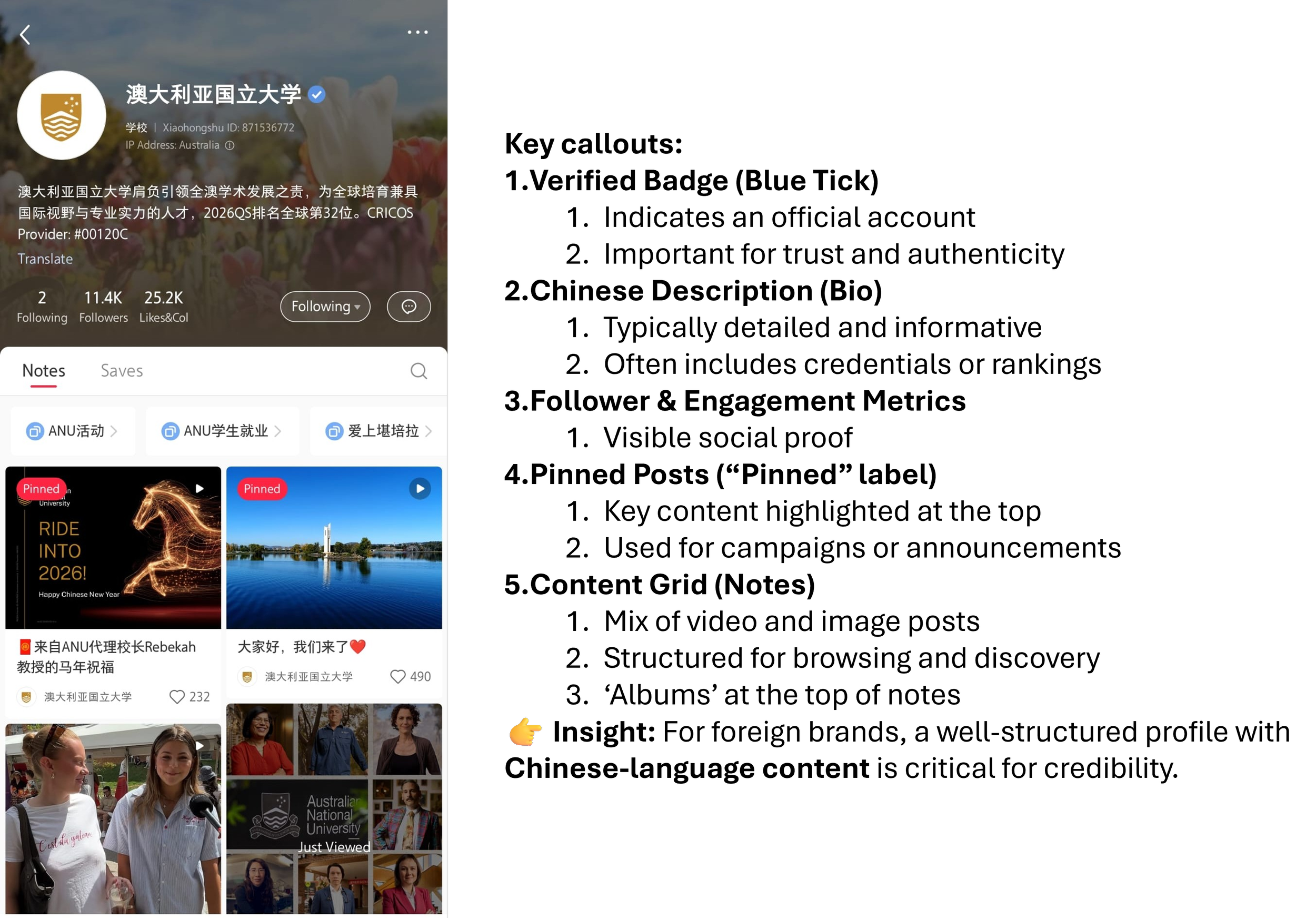
Source: ANU official account. Xiaohongshu / RedNote profile page
Brand and institutional profiles follow a similar structure but often include:
Verified badge (蓝V) for official accounts
A detailed Chinese-language description
Highlighted or pinned posts
Organized content collections
Posts are displayed in a grid, similar to Instagram, but with stronger emphasis on informational and search-friendly content.
👉 Why it matters: Chinese users will often check your profile before trusting your brand, especially if they are considering visiting your location or using your service.
Key Takeaway
Xiaohongshu’s interface may feel familiar at first glance, but its structure is designed around discovery, search, and trust-building rather than just social connection.
For foreign brands and destinations, understanding these core sections is essential — because each one plays a role in how Chinese users:
Discover your content
Evaluate your credibility
Decide whether to engage, visit, or purchase
